Pick up anywhere.
The full Studio runs in any browser, and the iPhone app is native. Every message reaches both at once.
 GenkiAI
From one sentence to launch. All of it, in one place.
Your server. Every Claude and Codex account you own, at work.
Start on your phone. Finish on your laptop.
Copy this brief and send it to an AI assistant that can log in to your server. It sets everything up. You need a Linux server and a domain. Code, chats and memory stay on your disk.
# Deploy a GenkiAI self-node (Docker Compose)

You are an AI assistant with shell access to a Linux server. Deploy GenkiAI Studio on it by following the steps below. Ask the human only for the values marked **ASK**. Decide everything else yourself.

## 1. Check the machine

- Linux, x86_64 or arm64, with Docker Engine 25 or newer and Compose v2. 4 vCPU, 8 GB of RAM and 40 GB of disk are comfortable for a small team.
- **ASK**: the node's domain name `NODE_HOST`. Its A or AAAA record must point at this machine, and ports 80 and 443 must be open to the internet.
- **ASK**: the certificate e-mail `ACME_EMAIL`.
- **ASK**: whether members will use the GenkiAI iPhone app with notifications. Yes ⇒ `PUSH_RELAY_URL=https://rsi.am`, no ⇒ leave it empty.

## 2. Write the three files

```sh
mkdir -p ~/genkiai-self-node && cd ~/genkiai-self-node
```

Write the three files below into that directory exactly as given. Do not change a character.

### docker-compose.yml

```yaml
name: genkiai

x-kernel-hardening: &kernel-hardening
  net.mptcp.enabled: 0

services:
  init:
    image: ${GENKIAI_IMAGE:-ghcr.io/greatcodeeer/genkiai-studio}:${GENKIAI_TAG:-latest}
    user: "0:0"
    command: ["--init-volumes"]
    network_mode: none
    restart: "no"
    volumes:
      - studio-data:/data
      - tenant:/mnt/genkiai-tenant
      - genkiai-home:/home/genkiai
      - backups:/backups
      - memory-data:/memory-data

  studio:
    image: ${GENKIAI_IMAGE:-ghcr.io/greatcodeeer/genkiai-studio}:${GENKIAI_TAG:-latest}
    restart: unless-stopped
    sysctls: *kernel-hardening
    depends_on:
      init:
        condition: service_completed_successfully
      memory:
        condition: service_started
      cloak:
        condition: service_started
    environment:
      STUDIO_HOST: 0.0.0.0
      STUDIO_PORT: "9800"
      STUDIO_DATA_DIR: /data
      GENKIAI_TENANT_ROOT: /mnt/genkiai-tenant
      STUDIO_PROJECTS_ROOT: /mnt/genkiai-tenant/projects
      STUDIO_STAFF_ROOT: /mnt/genkiai-tenant/staff
      STUDIO_SKILLS_ROOT: /mnt/genkiai-tenant/skills
      STUDIO_PUBLIC_URL: https://${NODE_HOST:?set NODE_HOST in .env}
      STUDIO_PASSWORD_AUTH: "1"
      STUDIO_NODE_NAME: ${NODE_NAME:-genkiai-node}
      STUDIO_PORTAL_URL: none
      STUDIO_INTERNAL_TOOLS: "0"
      STUDIO_PUSH_RELAY_URL: ${PUSH_RELAY_URL:-}
      STUDIO_MEMORY_URL: http://memory:9101
      STUDIO_MEMORY_SECRET_FILE: /memory-data/memory-service.secret
      CLOAK_HOST: cloak
      CLOAK_PORT: "9222"
      STUDIO_ASSIST_DIR: /app/assist
      STUDIO_UPDATER_URL: http://updater:8080/v1/update
      STUDIO_UPDATER_TOKEN: ${UPDATER_TOKEN:?set UPDATER_TOKEN in .env}
      STUDIO_IMAGE_REF: ${GENKIAI_IMAGE:-ghcr.io/greatcodeeer/genkiai-studio}:${GENKIAI_TAG:-latest}
      GENKIAI_SNAPSHOTS_DIR: /backups/snapshots
      GENKIAI_BACKUP_DIR: /backups/data
      GENKIAI_LIBRARY_BACKUP_DIR: /backups/library
      GENKIAI_SHARED_BACKUP_DIR: /backups/shared
      GENKIAI_AGENT_PUBLIC_IP: "off"
      STUDIO_WEBPUSH_CONTACT: mailto:${ACME_EMAIL:?set ACME_EMAIL in .env}
      STUDIO_TRUSTED_PROXIES: 172.30.0.10
    volumes:
      - studio-data:/data
      - tenant:/mnt/genkiai-tenant
      - genkiai-home:/home/genkiai
      - backups:/backups
      - memory-data:/memory-data:ro
    labels:
      com.centurylinklabs.watchtower.enable: "true"
      com.centurylinklabs.watchtower.scope: genkiai
    healthcheck:
      test: ["CMD", "curl", "-fsS", "-o", "/dev/null", "http://127.0.0.1:9800/api/meta"]
      interval: 30s
      timeout: 5s
      retries: 3
      start_period: 120s
    stop_grace_period: 30s

  memory:
    image: ${GENKIAI_MEMORY_IMAGE:-ghcr.io/greatcodeeer/genkiai-memory}:${GENKIAI_TAG:-latest}
    restart: unless-stopped
    sysctls: *kernel-hardening
    user: "1000:1000"
    depends_on:
      init:
        condition: service_completed_successfully
    environment:
      GENKIAI_MEMORY_LISTEN: "0.0.0.0:9101"
      GENKIAI_STUDIO_URL: http://studio:9800
      STUDIO_DATA_DIR: /studio-data
      GENKIAI_GATEWAY_KEY_FILE: /studio-data/gateway.key
    volumes:
      - memory-data:/app/data
      - studio-data:/studio-data:ro
    labels:
      com.centurylinklabs.watchtower.enable: "true"
      com.centurylinklabs.watchtower.scope: genkiai
    healthcheck:
      test: ["CMD", "node", "-e", "fetch('http://127.0.0.1:9101/health').then((r) => process.exit(r.ok ? 0 : 1), () => process.exit(1))"]
      interval: 30s
      timeout: 5s
      retries: 3
      start_period: 60s

  cloak:
    image: cloakhq/cloakbrowser:0.6.4@sha256:9e08a8f391d322810b72315fb06a102d98d51071767330ef381c4bc05626b5a6
    command: ["cloakserve"]
    restart: unless-stopped
    sysctls: *kernel-hardening
    shm_size: "2g"
    mem_limit: ${CLOAK_MEM_LIMIT:-2g}
    memswap_limit: ${CLOAK_MEM_LIMIT:-2g}
    volumes:
      - cloak-data:/root/.cloakbrowser

  edge:
    image: caddy:2.11.7@sha256:36c24ad91a7ff7bc4c87fe22bfa8df3c4b18da0773d73fc12ee2c52b98c0bb7e
    restart: unless-stopped
    sysctls: *kernel-hardening
    networks:
      default:
        ipv4_address: 172.30.0.10
    depends_on:
      - studio
    ports:
      - "80:80"
      - "443:443"
      - "443:443/udp"
    environment:
      NODE_HOST: ${NODE_HOST:?set NODE_HOST in .env}
      ACME_EMAIL: ${ACME_EMAIL:?set ACME_EMAIL in .env}
    volumes:
      - ./Caddyfile:/etc/caddy/Caddyfile:ro
      - caddy-data:/data
      - caddy-config:/config

  updater:
    image: containrrr/watchtower:1.7.1@sha256:6dd50763bbd632a83cb154d5451700530d1e44200b268a4e9488fefdfcf2b038
    restart: unless-stopped
    sysctls: *kernel-hardening
    read_only: true
    security_opt:
      - no-new-privileges:true
    cap_drop:
      - ALL
    command: ["--http-api-update", "--label-enable", "--scope", "genkiai", "--cleanup", "--stop-timeout", "30s"]
    environment:
      WATCHTOWER_HTTP_API_TOKEN: ${UPDATER_TOKEN:?set UPDATER_TOKEN in .env}
      DOCKER_API_VERSION: ${UPDATER_DOCKER_API_VERSION:-1.44}
    labels:
      com.centurylinklabs.watchtower.scope: genkiai
    volumes:
      - /var/run/docker.sock:/var/run/docker.sock

networks:
  default:
    ipam:
      config:
        - subnet: 172.30.0.0/24

volumes:
  studio-data: {}
  tenant: {}
  genkiai-home: {}
  backups: {}
  memory-data: {}
  cloak-data: {}
  caddy-data: {}
  caddy-config: {}
```

### Caddyfile

```
{
	email {$ACME_EMAIL}
}

{$NODE_HOST} {
	reverse_proxy studio:9800 {
		header_up -X-GenkiAI-Platform-Token
		header_up -X-GenkiAI-Seat-Token
	}
}
```

### env.example

```
NODE_HOST=genkiai.example.com
ACME_EMAIL=admin@example.com
UPDATER_TOKEN=

NODE_NAME=genkiai-node
PUSH_RELAY_URL=
GENKIAI_IMAGE=ghcr.io/greatcodeeer/genkiai-studio
GENKIAI_MEMORY_IMAGE=ghcr.io/greatcodeeer/genkiai-memory
GENKIAI_TAG=latest
CLOAK_MEM_LIMIT=2g
UPDATER_DOCKER_API_VERSION=1.44
```

## 3. Fill in `.env`

```sh
cp env.example .env
```

Set `NODE_HOST`, `ACME_EMAIL` and `PUSH_RELAY_URL`. Set `UPDATER_TOKEN` to the output of `openssl rand -hex 32`. Leave the rest at its defaults.

## 4. Start

```sh
docker compose pull
docker compose up -d
docker compose ps -a
```

Expected state: `init` shows Exited (0), the other five (studio, memory, cloak, edge, updater) are Up, and `studio` and `memory` turn healthy within one or two minutes. The certificate is issued once DNS has propagated. `docker compose logs edge` shows the issuance.

If `docker compose pull` answers denied or unauthorized, the image registry is still private. Stop and tell the human to ask the GenkiAI team for access. Do not guess other image addresses.

## 5. Hand over to the human

```sh
curl -fsS https://<NODE_HOST>/api/meta
docker compose exec studio cat /data/setup-token
```

`curl` must return JSON that contains a `"node"` field. Give the human the address `https://<NODE_HOST>` and the setup token. They open the address in a browser, paste the token, and choose a username and a password for the owner account. Do not create the account for them.

Then tell them:

- Inviting members: on the admin page `https://<NODE_HOST>/admin`, click Create invite link and send the link to the member.
- Putting the AI to work, one of two modes: sign in to the team's own Claude and Codex accounts on the account page, or paste a Vercel AI Gateway key on the admin page.
- If the only owner is locked out: run `docker compose exec studio node client/server/dist/node-reset-link.js` on the server. It prints a 15-minute reset link.
- Backups: the database and the data directory go into the `backups` volume every 12 hours. Projects, CLI logins and the memory store are not in it. They live in three volumes: `genkiai_tenant`, `genkiai_genkiai-home`, `genkiai_memory-data`. Back them up with the host's disk snapshots, or stop `studio` and `memory` and tar each volume.
- Restoring the database to the latest snapshot:

```sh
docker compose stop studio
docker compose run --rm --no-deps --entrypoint /app/client/scripts/host/genkiai-restore.sh studio --no-service
docker compose start studio
```
A Space at rsi.am is the same Studio: one machine per team, operated by us. Open Studio →
The AI hands in the review and waits for one tap. The phone shows the same conversation. Watch this part of the replay →
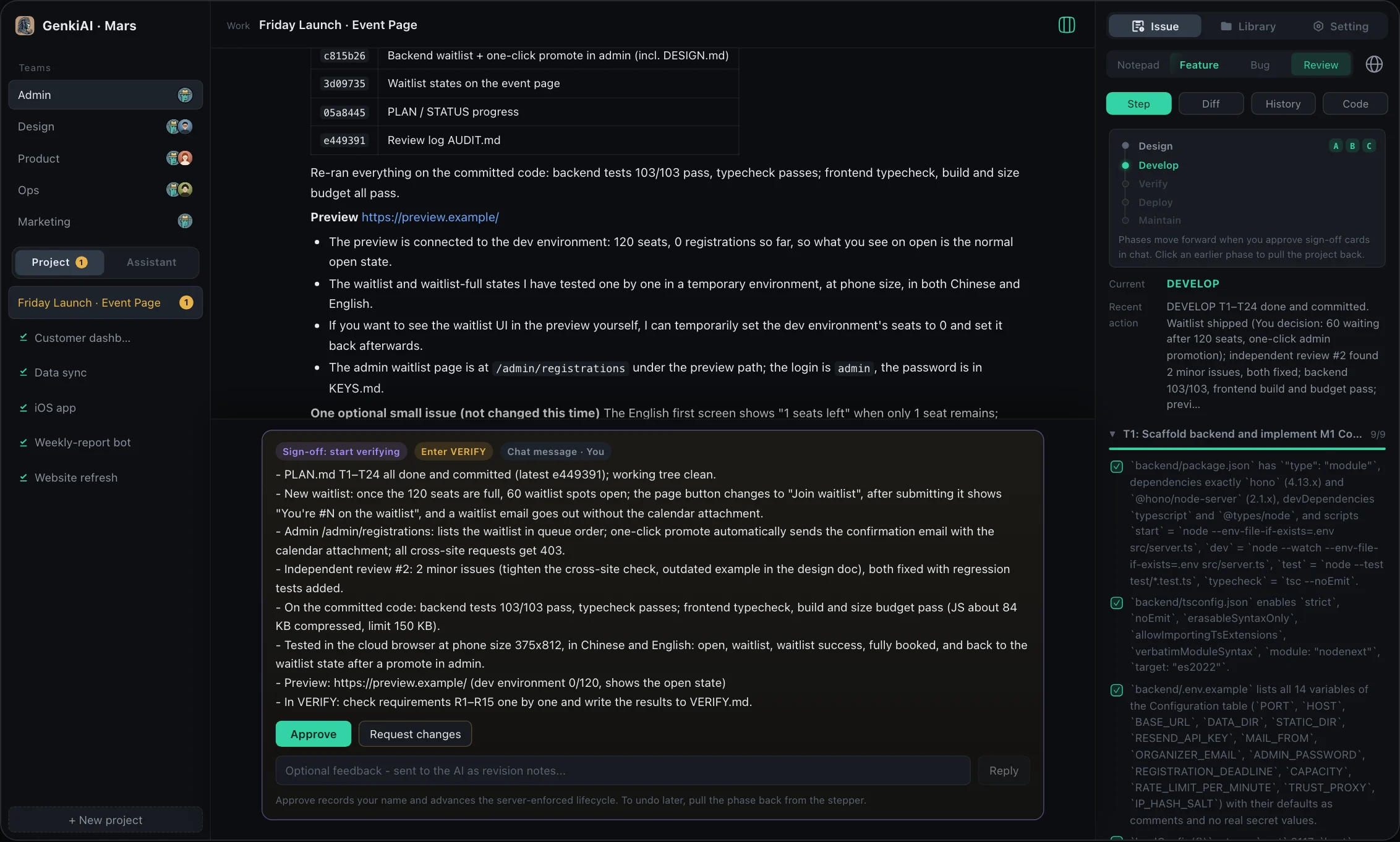
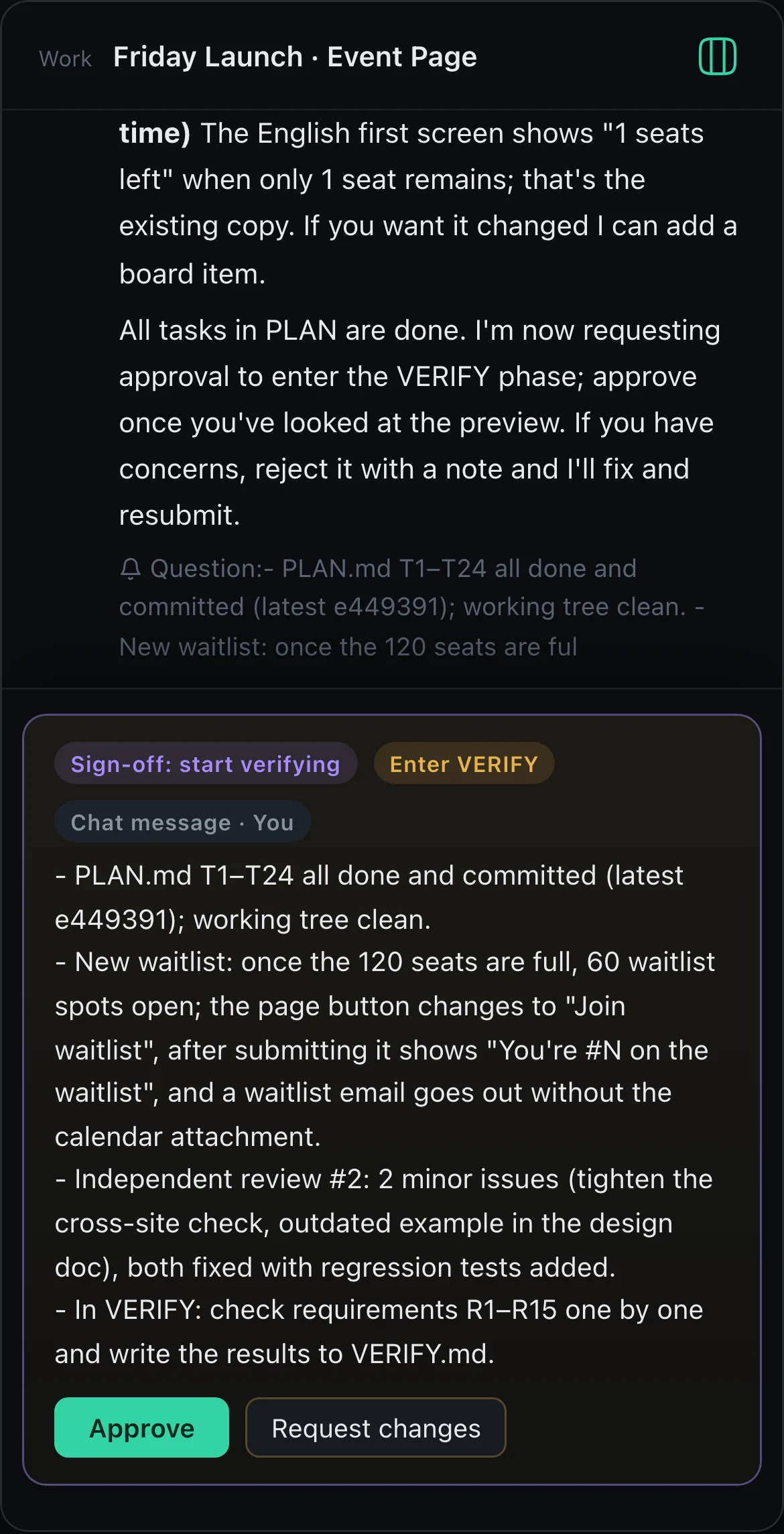
The full Studio runs in any browser, and the iPhone app is native. Every message reaches both at once.
Sign in every Claude and Codex account you have. When one runs out, Auto-Run moves to the next.
Auto-Run fixes each item and adds tests, then a different model reviews it. It is done only when the review passes.
A project is the room where the team works. Your Assistant sees all your projects and only reads.